Block Puzzle Adventure
MimoDZPersonalization
4.313.00 Reviews
- Version
- 1.1
- Installs
- 10.00K
- Age Rating
- Everyone
Screenshots
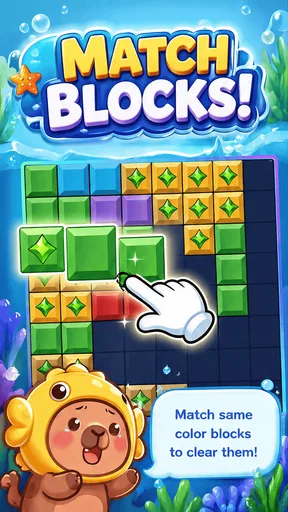
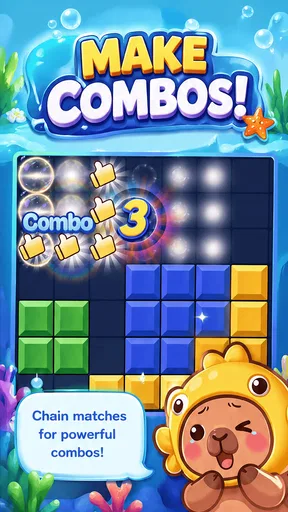
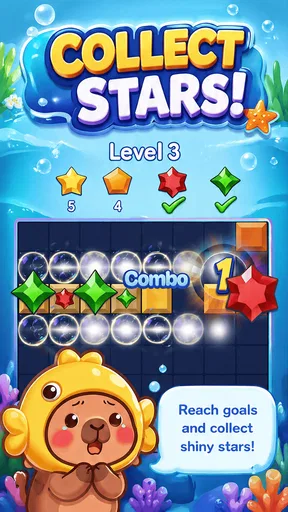
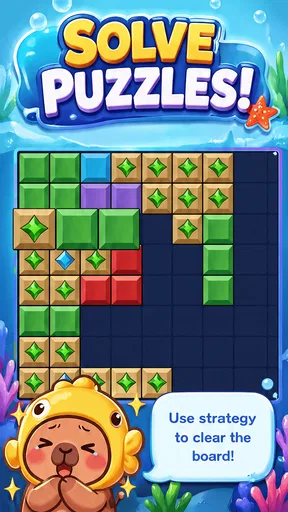
Our Review of Block Puzzle Adventure
 Analysis by Appyee
I approached Block Puzzle Adventure as a small, straightforward personalization app with a puzzle at its center, and my first impression was easy to understand: it is aimed at people who want something simple to open, play, and put down without a long learning curve. The core idea is arranging blocks while keeping lines clear, so the appeal comes from quick decisions rather than a complicated story, deep menu system, or demanding commitment.
That simplicity is its strongest quality, but it also explains where expectations need to be realistic. This is not the kind of app I would choose when I want a large collection of modes, a social competition layer, or extensive customization. I see it as a casual option for short breaks, especially for someone who enjoys spatial puzzles and prefers rules that become clear through play.
Getting comfortable with the puzzle before blaming the app
The developer behind it is MimoDZ, and the app is free with an Everyone age rating. It runs on Android 8.0 or later, which makes it accessible to users with older compatible devices as well as newer phones. Its current version is 1.1, and the app has reached over ten thousand installs, with a 4.3 average from roughly seventy ratings and thirteen written reviews.
Those figures suggest a modest but positive reception rather than the scale of a major mobile game. I would treat that as useful context: the app is easy to try, but I would not expect the same depth of polish, extensive help material, or broad community guidance found around long-established puzzle titles.
The first place a new player can get stuck is not necessarily installation. It is understanding the rhythm of the board. A block may look useful because it fills a small gap, yet placing it can close off the space needed for a longer piece. I found that the safest approach is to look at the whole available arrangement before committing, rather than dropping the first shape into the most obvious empty area.
Clearing a line feels satisfying, but clearing immediately is not always the best move. A better short-term decision can be leaving a controlled opening for a difficult shape. That trade-off is one of the reasons the game works as a casual mental exercise: the board rewards planning without requiring complicated instructions.
For a realistic everyday use, imagine waiting for an appointment with only a few minutes to spare. This is where the app makes sense. I can start a round, focus on fitting the pieces, and stop when I need to move on. It does not demand that I remember a long narrative or prepare a team. On the other hand, if I am looking for a game that gives me a clear campaign, character progression, or a strong reason to return every day, this is probably too limited.
Small setup checks that prevent unnecessary frustration
Before deciding that the app is malfunctioning, I would begin with the basics. The phone should be running Android 8.0 or newer, and there should be enough free storage for a normal installation. If the download pauses, I would check the connection first, then retry from the app store rather than repeatedly tapping the install control.
After installation, opening the app once while connected to a stable network is a sensible first step. I would allow the initial screen to finish loading before switching to another app. This is general troubleshooting rather than a special requirement of the game, but it avoids confusing a temporary loading delay with a broken puzzle board.
If the display looks cramped, I would check the phone’s system text or display scaling. A large system scale can make buttons and labels feel crowded, even when the app itself is working normally. Returning the device to a comfortable standard scale can make the board easier to read and reduce accidental taps.
Touch accuracy matters more than it might seem in a block puzzle. I recommend keeping a finger away from the lower edge of the screen while dragging or selecting a piece, particularly on phones that use gesture navigation. A misplaced touch can make a move appear unresponsive when the real problem is that the gesture was interrupted by the phone’s navigation area.
It is also worth confirming that the app is installed from the intended store page and that the device has completed any pending system updates. I would not jump straight to clearing app data, because that can remove local progress if the game stores it on the device. A simple close-and-reopen cycle is the safer first recovery step.
Recovering a round when the workflow feels stuck
When a piece does not seem to move, I would test the gesture slowly instead of swiping repeatedly. Start from the center of the block, drag toward a clearly open area, and release deliberately. Rapid movements can be harder for a small screen to register, especially if the finger begins near another control or the edge of the display.
If the board stops responding after several actions, close the app normally and open it again. I would then try one careful move before continuing. This helps separate a temporary interface hiccup from a misunderstanding of the placement rules. If the same behavior returns, restarting the phone is a reasonable next general step, particularly after many other apps have been left open.
Another useful recovery habit is to avoid changing several things at once. Do not uninstall, clear storage, alter display settings, and restart the device all in one attempt. Make one change, test the app, and observe what happened. That approach protects local progress and makes it easier to identify whether the issue came from the app, the phone, or the original touch gesture.
For gameplay itself, recovery means managing the board before it becomes crowded. I try to preserve at least one broad area rather than filling every small gap immediately. Long, narrow spaces can become traps, so I prefer placements that keep multiple future options open. This is a practical technique that is more valuable than simply playing faster.
I also avoid treating every available piece as equally urgent. If one shape can fit in several locations and another has only one sensible home, I place the restricted shape first. That reduces the chance of creating a dead end. The advice sounds basic, but it changes the experience from random tapping into a repeatable decision process.
When the phone, connection, or touch layer is the real problem
Not every difficulty should be attributed to Block Puzzle Adventure. If other apps also miss touches, freeze, or respond slowly, the phone may be under strain. In that situation, closing background apps, restarting the device, and checking available storage are more useful than reinstalling one puzzle app.
Likewise, a weak connection can affect downloading or opening content, but it does not automatically explain a piece being placed in an unexpected position once the board is visible. If the rest of the interface works and only one gesture fails, I would first reconsider where I started the drag and where I released it.
Screen protectors and damaged touch panels can create another misleading symptom. A protector that has lifted near the edge may interfere with gestures, while a cracked or inconsistent screen can make precise placement unreliable. Testing the same area in another app can reveal whether the issue follows the device rather than the game.
Battery-saving settings can also make a phone feel less responsive by limiting background activity or reducing performance. I would not disable system protections casually, but I would check whether the device is in an unusually restrictive mode if the app becomes sluggish while other functions are also affected.
If reinstalling becomes necessary, I would do it only after considering whether progress is stored locally. Since I do not want to lose a current board or accumulated progress without a clear reason, I would try the less destructive steps first: close the app, restart the phone, confirm compatibility, and reinstall only as a final general troubleshooting measure.
Who will enjoy it, and who should choose something else
I think this app suits players who like uncluttered block puzzles, short sessions, and decisions that are easy to understand but not always easy to optimize. It can also work for families because the content rating is Everyone and the basic concept is approachable. A child may enjoy fitting shapes, while an adult can use the same activity as a quiet break from more demanding tasks.
It is less suitable for someone who needs detailed instructions, extensive accessibility controls, or a large range of play styles. I would also skip it if my main goal were competitive ranking, online interaction, or a rich progression system. The app’s value is in the immediate puzzle loop, not in surrounding systems.
Compared with a paper puzzle book, it is more convenient because the board is always available and mistakes do not require erasing. Compared with a classic board-game version, it is quicker to start and easier to use alone. However, those alternatives can feel more tactile and may offer a clearer sense of ownership or variety. Compared with larger mobile puzzle games, this one is easier to understand but likely less substantial for long sessions.
That trade-off is important. I would recommend trying it when I want a free, low-commitment puzzle and do not want to spend time learning a complicated interface. I would recommend a different option when I want extensive content, social features, or a carefully documented system of challenges.
Making a short session more satisfying
A useful way to fit this puzzle into a busy day is to decide what counts as a good session before opening it. I might aim to make careful placements rather than chase a particular score or play until the board is full. That keeps a quick break from turning into an unplanned stretch of screen time, and it makes the app easier to put down when an appointment or task begins.
When I have a little more time, I treat each awkward piece as a test of board flexibility. Instead of asking only where it fits now, I look for a placement that leaves more than one workable next move. This is a small change in habit, but it helps reveal whether I enjoy the planning itself; if I only enjoy immediate line clears, the slower choices may feel like work.
One question people often have is whether this is a good choice for a child or a shared family device. The Everyone rating and simple block concept make it approachable, but I would still try it together first if a child is unfamiliar with touch controls. The important practical point is not complexity; it is whether the screen and gestures feel comfortable for that particular user.
Another is whether the free price makes it an obvious choice over alternatives. Free access makes trying it low-risk, but it does not make the app the best fit for every player. Someone who wants a physical, screen-free activity may get more from a paper puzzle, while someone seeking structured goals may prefer a larger mobile title. I see this one as a convenient option when the immediate puzzle is enough.
My practical verdict after using it
Block Puzzle Adventure is best treated as a focused casual puzzle rather than a complete entertainment platform. Its clear block-and-line concept makes it approachable, and the free price removes the main barrier to trying it. The modest install base and positive average rating give it a reasonable starting point, while the current version keeps expectations grounded: I see it as a simple app that does one central thing rather than a huge game with layers of content.
My advice is to install it on a compatible device, play slowly for the first few rounds, and judge it by whether the basic placement loop feels satisfying. Keep space open on the board, place awkward shapes before flexible ones, and use simple troubleshooting before taking more drastic action. If the touch problem appears across several apps, investigate the phone first.
For me, the deciding question is not whether it replaces every other puzzle game. It does not. The question is whether I want a free way to spend a few quiet minutes arranging blocks and clearing lines. When the answer is yes, this app is easy to recommend to a friend who values simplicity. When I need depth, progression, or a broader set of tools, I would move on to a more feature-rich alternative.
Verdict
Strengths of Block Puzzle Adventure
- Simple controls make it easy to start playing immediately.
- Short levels fit well into quick breaks or casual sessions.
- Bright visuals give the game a friendly, accessible appearance.
- Offline play is convenient when no internet connection is available.
- Progressive challenges help maintain interest beyond the opening levels.
Limitations of Block Puzzle Adventure
- Some stages may feel repetitive after extended play sessions.
- Later puzzles can depend heavily on trial and error.
- Ads may interrupt the experience, especially between completed levels.
- Limited variation in gameplay can reduce long-term replay value.
- Players seeking competitive multiplayer features may find the game lacking.
Similar Picks in This Category
View All
Microsoft SwiftKey AI Keyboard
SwiftKey4.3

Wallpapers
Google LLC4.1

Zedge™ Wallpapers & Ringtones
Zedge4.7

Yandex Browser with Alice AI
Direct Cursus Computer Systems Trading LLC4.3

Ringtone Maker:create ringtone
Big Bang Inc.4.7

Fonts Keyboard
Fonts Keyboard3.9
Frequently Asked Questions
What is Block Puzzle Adventure?
Block Puzzle Adventure is a casual puzzle game centered on arranging and clearing colorful blocks on a grid. Its gameplay is easy to understand, but later stages can require careful planning, pattern recognition, and efficient use of available space. It is designed for short sessions, making it suitable for relaxing at home or playing while traveling.
How do you play Block Puzzle Adventure?
The main objective is to place the available block shapes onto the board and complete full rows or columns to remove them and earn points. Blocks generally cannot be rotated, so each move should be considered before placing a piece. Clearing several lines together can improve your score, while filling the board without possible moves may end the round.
Is Block Puzzle Adventure free to download and play?
Block Puzzle Adventure is typically available as a free download, allowing users to start playing without purchasing the game. However, free versions may include advertising, optional in-app purchases, or other features that require payment. Before downloading, check the store listing for the current pricing details, supported devices, and information about optional purchases.
Does Block Puzzle Adventure require an internet connection?
Many block puzzle games can be played offline after installation, which makes them convenient for flights, commutes, or areas with limited connectivity. Some features, such as advertisements, cloud synchronization, leaderboards, rewards, or promotional content, may require an internet connection. Availability can vary by version, so test the game offline after downloading.
Is Block Puzzle Adventure suitable for children and beginners?
Block Puzzle Adventure is generally accessible to beginners because its controls are simple and the basic rules can be learned within a few minutes. It does not usually require fast reflexes, making it suitable for casual players and many children. Parents should still review the app’s age rating, advertising, privacy information, and in-app purchase settings before installation.
